Project Save Slots
Most real games need more than one file write button.
SaveFlow Lite supports the baseline slot workflow:
- active slot index
- stable slot IDs
- display names
- typed metadata
- save cards
- manual saves
- autosave and checkpoint examples
The key idea is:
storage identity is stable, UI naming is metadata.
A player slot can contain multiple save records. The slot remains the stable playthrough identity, while scene, scope, and custom records let the project store separate gameplay domains under that same slot.
Slot ID vs Display Name
Use a stable slot ID for storage.
Use display metadata for UI.
This keeps sorting, loading, and deletion predictable while still letting the
player see names such as Village Start or Forest Gate.
Recommended pattern:
slot_id: slot_1
display_name: Village Start
save_type: manual
location_name: Forest Gate
Use an integer slot index in gameplay/UI state, derive slot_1, slot_2, and
slot_3 from it, and keep the human-readable name in metadata.
Active Slot
The active slot is the slot your current play session writes to.
Manual save, autosave, and checkpoint behavior should normally write to the active slot unless your game intentionally defines a different policy.
This means autosave should not write every visible card. It should update the current slot unless your project has a separate autosave slot design.
In the recommended template, the Esc menu writes the main scene data. Room pads write the active subscene slot. That split keeps project location data separate from room-local payloads.
When the player changes scene, the active slot_id should usually stay the
same. What changes is the scene or scope record that save_scene(),
load_scene(), save_scope(), or load_scope() targets under that slot.
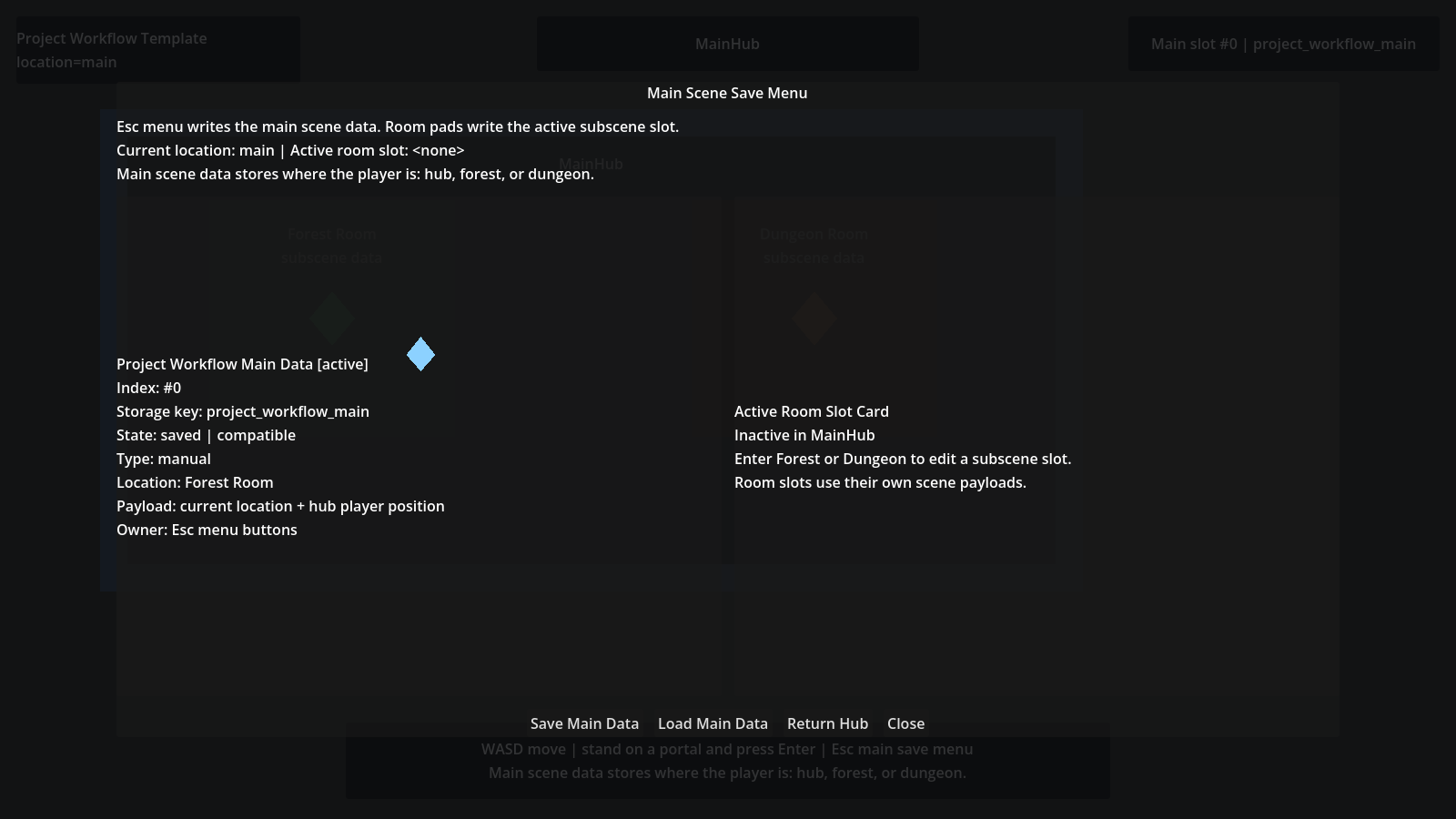
Save Cards
Save cards are lightweight summaries for UI.
Use them to build continue/load/save menus without loading the full gameplay payload for every slot.
Save cards usually show:
- slot index
- display name
- chapter
- location
- playtime
- save type
- compatibility status
Manual Save, Autosave, Checkpoint
Manual save is a player-selected write to the active or selected slot.
Autosave is a gameplay event that writes without opening a save menu. Use it for transitions, safe moments, and major progress points.
Checkpoint is a gameplay recovery marker. It usually records where the player should resume after failure, then writes the active slot.
In Lite, these are workflows over the same baseline slot model. They are not separate storage systems.
Slot Records
Use records when one player slot needs more than one saved payload boundary.
slot_1
|- main
|- scene:res://world/project_room_dungeon.tscn
|- scope:res://world/project_room_dungeon.tscn:room
save_slot() and load_slot() operate on the main record.
save_scene() stores a scene-qualified record.
save_scope() stores a scene-and-scope-qualified record. This prevents two
different scenes that both use scope_key = "room" from colliding inside the
same player slot.
Player UI should normally group by slot. Editor and QA tools can expand a slot to inspect the records that make that playthrough complete.
See Player Slots And Records for the full model.