Editor Tools
SaveFlow Lite includes editor tools because save systems fail painfully when mistakes are discovered only after pressing Load.
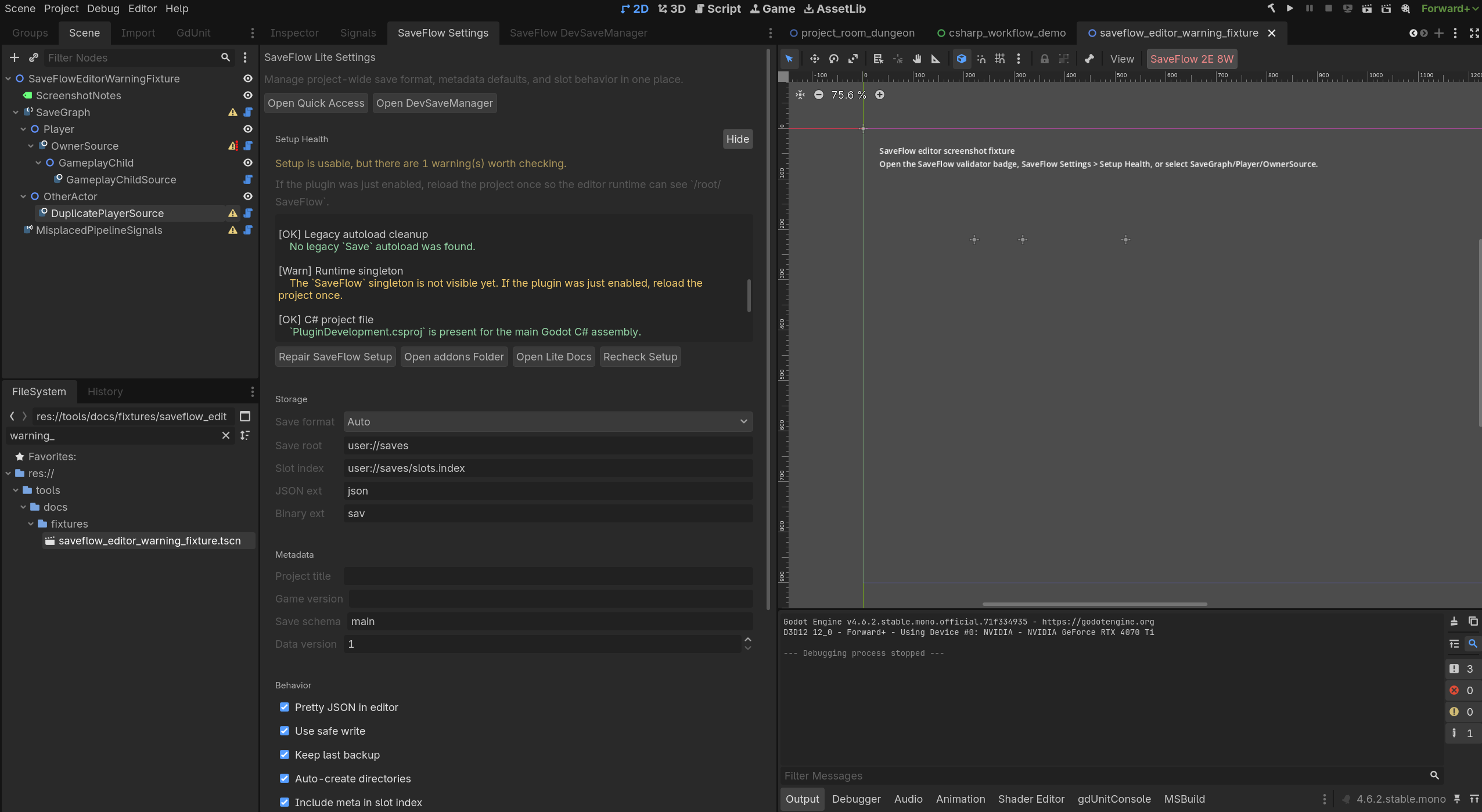
SaveFlow Settings
Use SaveFlow Settings to review project-level defaults:
- save root
- slot index file
- storage format
- safe write and backup policy
- project title
- game version
- data version
- save schema
- scene-path verification
Setup health also checks whether the plugin installation and current scene look ready enough to test.
Scene Validator Badge
The 2D/3D editor toolbar shows a SaveFlow validator badge.
Use it while editing normal Godot scenes, not only while looking at SaveFlow panels.
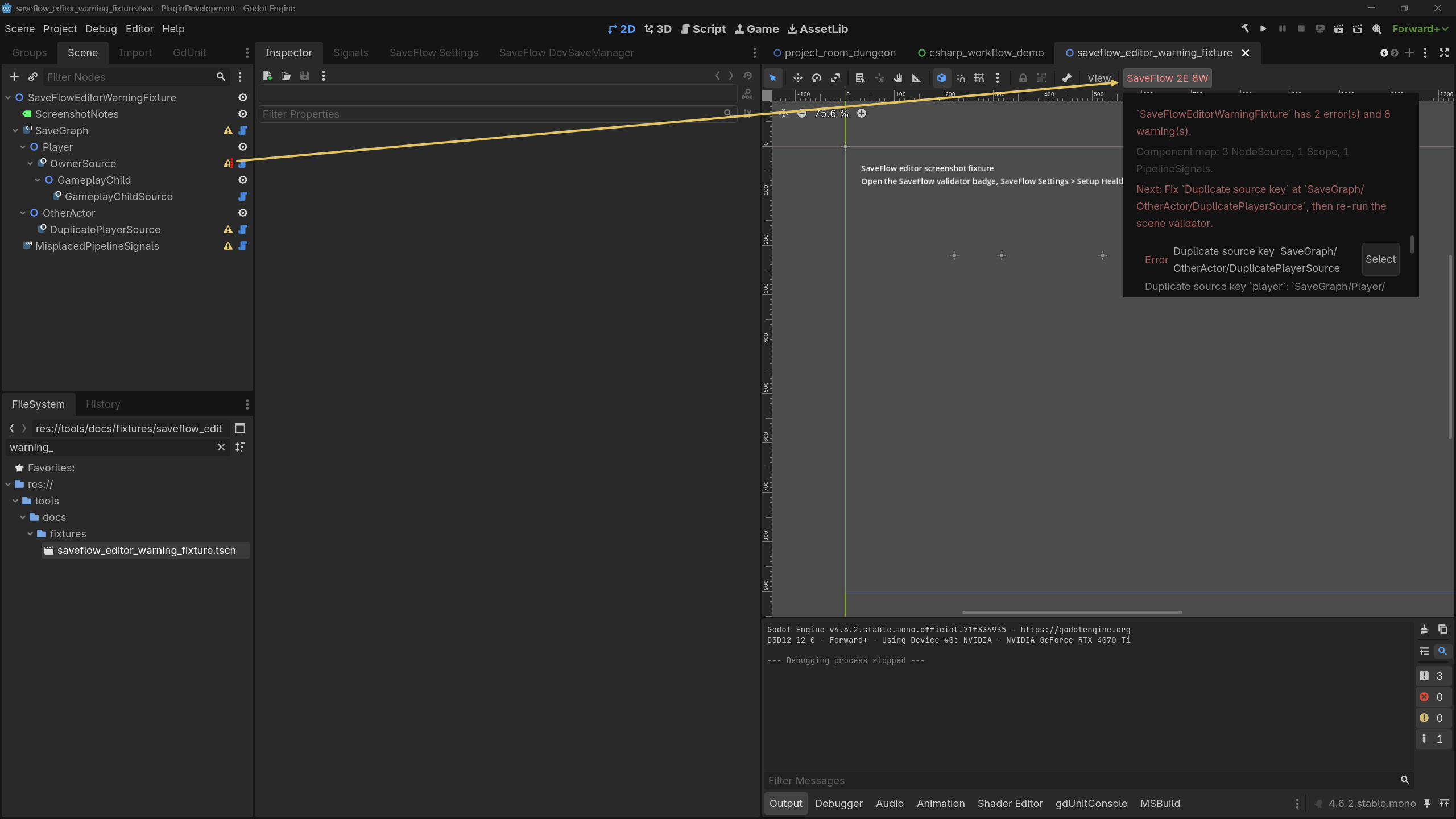
It reports issues such as:
- duplicate Source keys
- invalid Source plans
- invalid Scope layouts
- invalid entity factory setup
- invalid pipeline signal targets
- common ownership mistakes
Source Inspector Preview
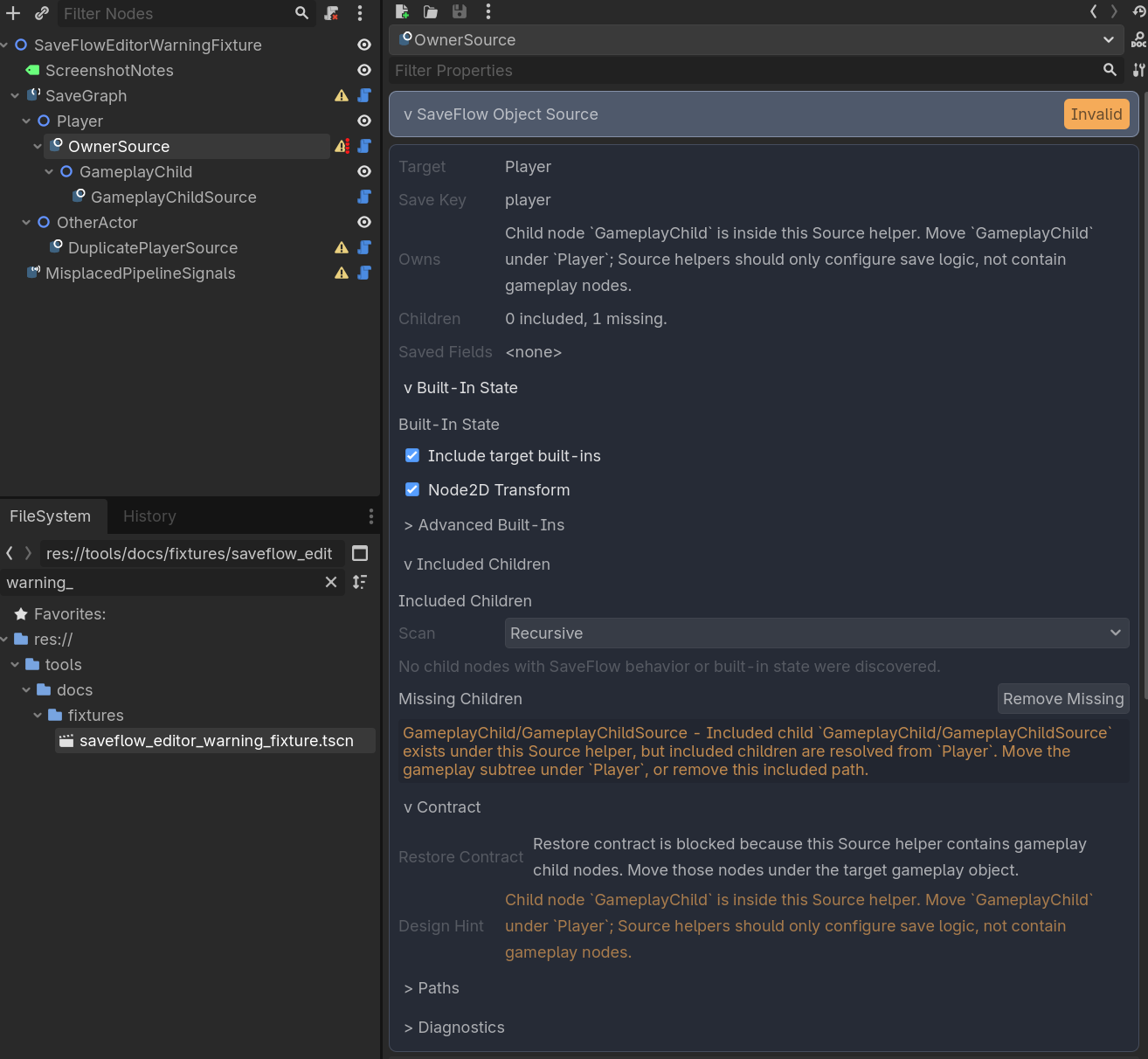
Source inspectors show what a Source intends to save.
Use previews to check:
- target node
- source key
- included child participants
- built-in selections
- typed payload sections
- entity collection restore plan
The preview is not decoration. It is the quickest way to catch "this Source is saving the wrong thing."
DevSaveManager
Use DevSaveManager to work with development snapshots and formal slot saves
from the editor while building save flows.
The panel follows the same slot-and-record model as runtime saves:
- a player slot is still the stable playthrough identity
- scene, scope, custom, and main records live under that slot
- dev snapshots are local testing saves requested from the editor
- formal saves come from the configured save root and slot index
Use the Dev/Formal toggle to switch the list you are reviewing. Each save row shows the save name, status badges, icon actions, and a compact metadata line so you can load, save, duplicate, rename, delete, or open the relevant folder without splitting the panel into separate columns.
Runtime requests target dev snapshots. Formal saves remain the project-facing slot index saves that a game menu would normally present to players.
It is for development workflow, not your shipped UI.