Pipeline Signals
Use SaveFlowPipelineSignals when the user story is:
React to save/load lifecycle events without subclassing every Source.
Pipeline signals are scene-authored event bridges. They are not saved as gameplay data.

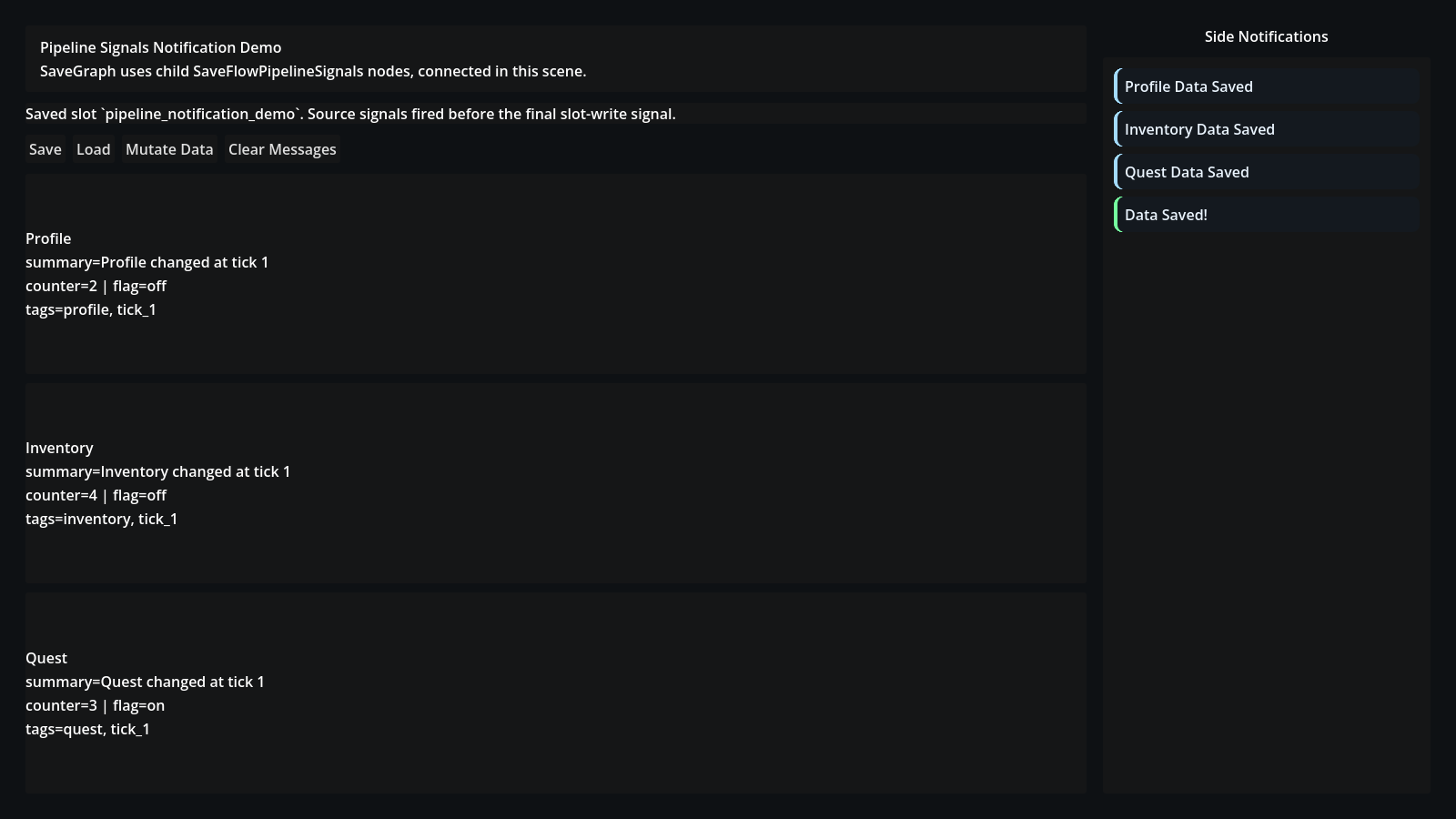
The Pipeline Notifications demo shows the intended runtime shape: each Source emits its own feedback first, then the graph emits the final slot-write message.
Common Uses
Use pipeline signals for:
- "Data Saved!" toast messages
- analytics or debug logging
- disabling UI during load
- refreshing derived UI after load
- cancelling or warning around unsafe actions
Signal Shape
SaveFlowPipelineSignals exposes lifecycle signals such as:
before_saveafter_gatherbefore_writeafter_writebefore_loadafter_readbefore_applyafter_loadbefore_gather_sourceafter_gather_sourcebefore_apply_sourceafter_apply_sourcepipeline_error
Each signal receives a SaveFlowPipelineEvent.
Example scene behavior:
func _on_after_write(event: SaveFlowPipelineEvent) -> void:
	_show_toast("Data Saved")

func _on_after_gather_source(event: SaveFlowPipelineEvent) -> void:
	_show_toast("%s Saved" % event.source_key)
Connect these from the Godot inspector when possible. That keeps the Source script focused on data and lets UI feedback live in UI nodes.
Listen Modes
Use Owner Only when the signal node should observe one Source or Scope.
Use Owner And Descendants when it should observe a nested domain.
Use All Pipeline Events only for global debug or UI feedback nodes.
Why This Exists
Without signal bridges, users often subclass Sources just to run small side effects.
Signals keep data ownership and presentation behavior separate:
- Sources own save/load data
- gameplay nodes respond to save/load events
- UI can show feedback without becoming part of the saved payload