C# Workflows
SaveFlow Lite keeps C# as a first-class path for the baseline save model.
The C# layer should not create a second save system. It should call the same runtime model through typed wrappers and scene-authored Sources.
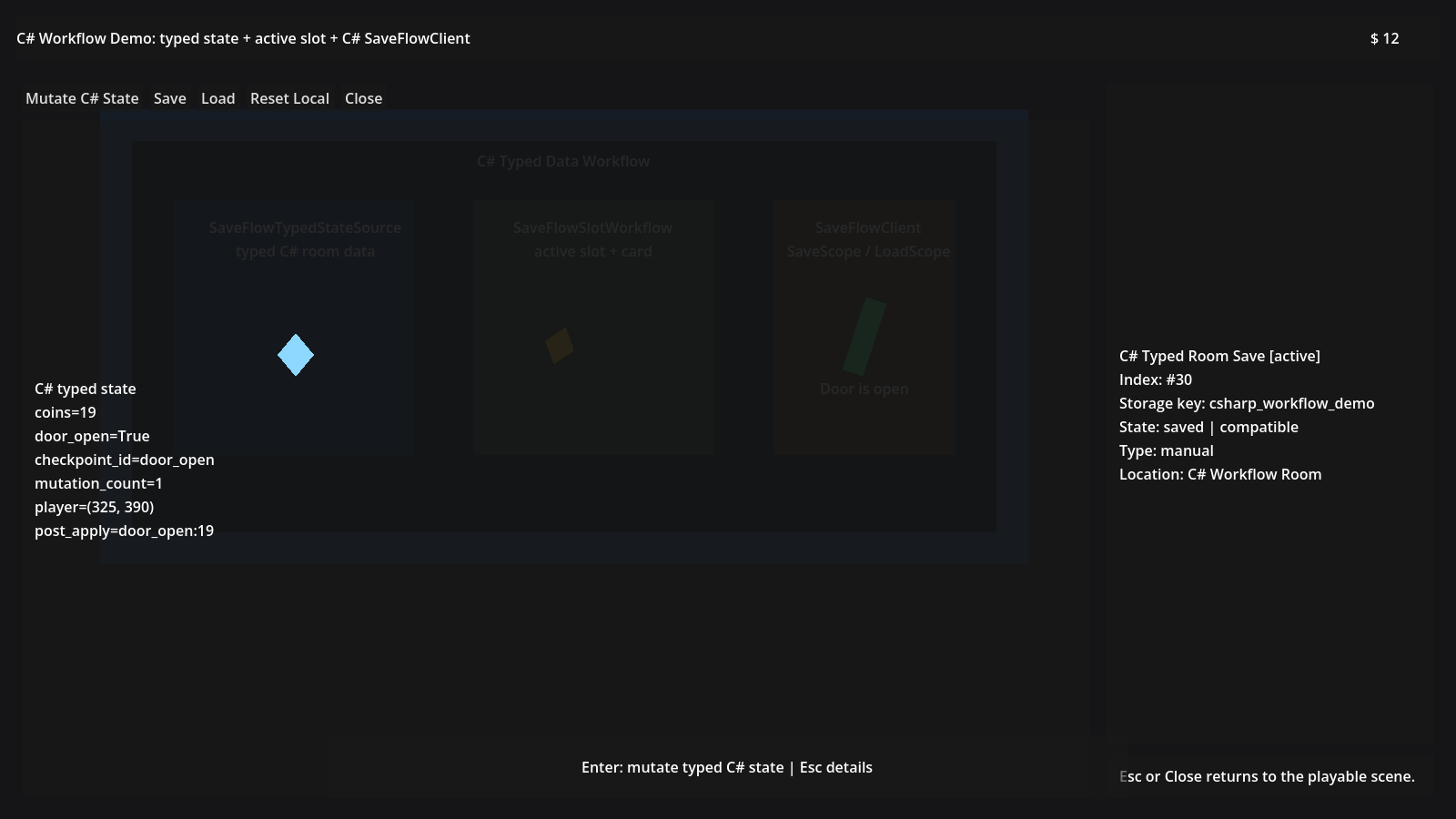
The C# Workflow demo uses a scene-authored Save Graph with a C# typed state
Source, active-slot helper, slot card, and SaveFlowClient.SaveScope() /
LoadScope() calls.
The Preferred C# Path
Use SaveFlowTypedStateSource when the user story is:
Save one C# typed state object as part of the Save Graph.
Put the derived Source node directly under a SaveFlowScope or save graph node.
Do not hide the Save Graph completely inside a manager class.
Minimal Typed State Source
Use SaveFlowTypedStateSource when you have one C# state object that should be
saved by the graph.
The Source owns:
- the state object
- JSON/binary payload encoding for the selected project save format
- optional payload section metadata
- apply/load lifecycle behavior
Gameplay code should focus on typed state, not on choosing serializer calls for each save format.
Example:
using System.Text.Json.Serialization;
using Godot;
using SaveFlow.DotNet;

public sealed partial class RoomState
{
	public int Coins { get; set; }
	public string Location { get; set; } = "Start";
}

[JsonSerializable(typeof(RoomState))]
public sealed partial class RoomStateJsonContext : JsonSerializerContext
{
}

public partial class RoomStateSource : SaveFlowTypedStateSource
{
	public RoomStateSource()
	{
		InitializeSaveFlowState(
			new RoomState(),
			RoomStateJsonContext.Default.RoomState);
	}

	public RoomState State
	{
		get => GetSaveFlowState<RoomState>();
		set => SetSaveFlowState(value);
	}
}
JsonTypeInfo is required by design.
SaveFlow uses source-generated System.Text.Json metadata instead of runtime
reflection so exported projects stay predictable.
Use SaveFlowClient
Use SaveFlowClient for baseline runtime calls from C#:
- configure runtime settings
- save/load slots
- inspect metadata
- work with active-slot helpers
- call Scope and graph operations
For the full wrapper list, see the C# API reference.
Example:
var meta = SaveFlowClient.BuildSlotMetadata(
	displayName: "Village Start",
	saveType: "manual",
	chapterName: "Chapter 1",
	locationName: "Forest Gate");

var result = SaveFlowClient.SaveScope("slot_1", roomScope, meta);
if (!result.Ok)
{
	GD.PushWarning(result.Message);
}
Keep Scene Authorship Visible
Even in C#, prefer placing the Source in the scene tree.
That keeps the save graph visible to Godot users, editor diagnostics, and the scene validator.
Payload Encoding
SaveFlowTypedStateSource supports:
JsonTextJsonBytes
Both use the same typed state object. The encoding changes payload shape, not the business model.
Use JsonText while inspecting saves.
Use JsonBytes when you want a binary payload section while keeping the same
load behavior.
Godot Script Registration Note
Keep the Godot script class non-generic and in a same-name file.
Generic DTOs and JsonTypeInfo<T> are fine.
Generic Godot Node script bases can collide with Godot C# editor reload
registration.