Examples
The 0.7.x example rule is:
Keep examples that teach one SaveFlow workflow through real Godot scene nodes.
Examples should be understandable from the scene tree first. Scripts should support the scene, not replace it.
If you are opening the demo project for the first time, start with the one-page starter.
Recommended Template
Primary scene:
res://demo/saveflow_lite/recommended_template/scenes/project_workflow/recommended_project_workflow_main.tscn
Use this when you want to understand the project-ready flow:
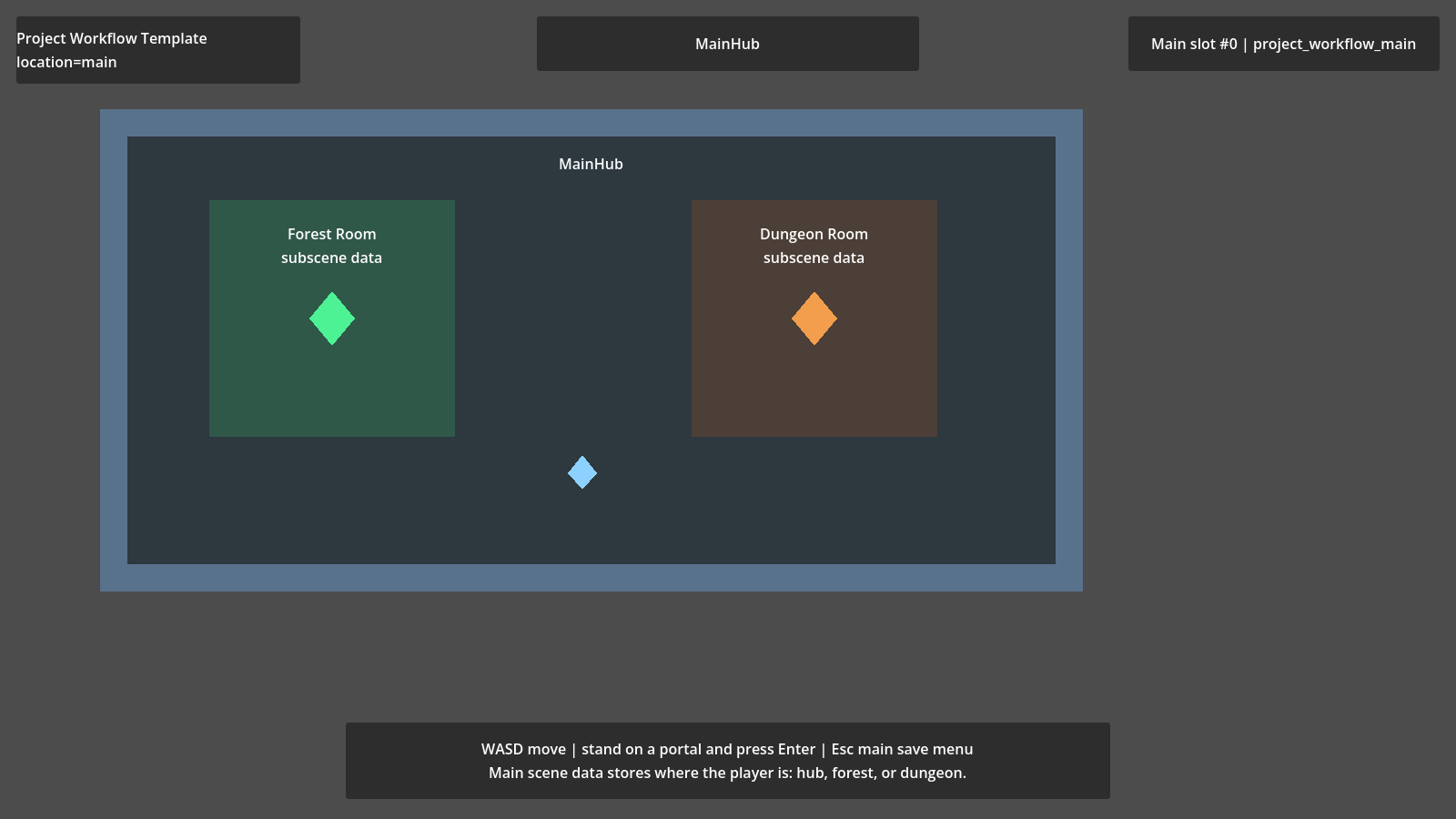
- main scene data
- subscene data
- active slot
- save cards
- manual save/load/delete slots
- autosave and checkpoint behavior
- runtime entity collection behavior
When reviewing the scene, look for:
- the main scene data Source
- subscene/room data Source
- player
SaveFlowNodeSource - runtime entity collection for coins
- slot workflow helper
- screen-space save menu UI
Suggested walkthrough:
- Move the player and collect or spawn coins.
- Select a manual slot and save.
- Mutate the room again.
- Load the selected slot and confirm player, room data, and runtime coins restore.
- Trigger autosave/checkpoint and confirm they write the active slot.
- Open the node tree and match each behavior to one SaveFlow component.
Pipeline Signals Demo
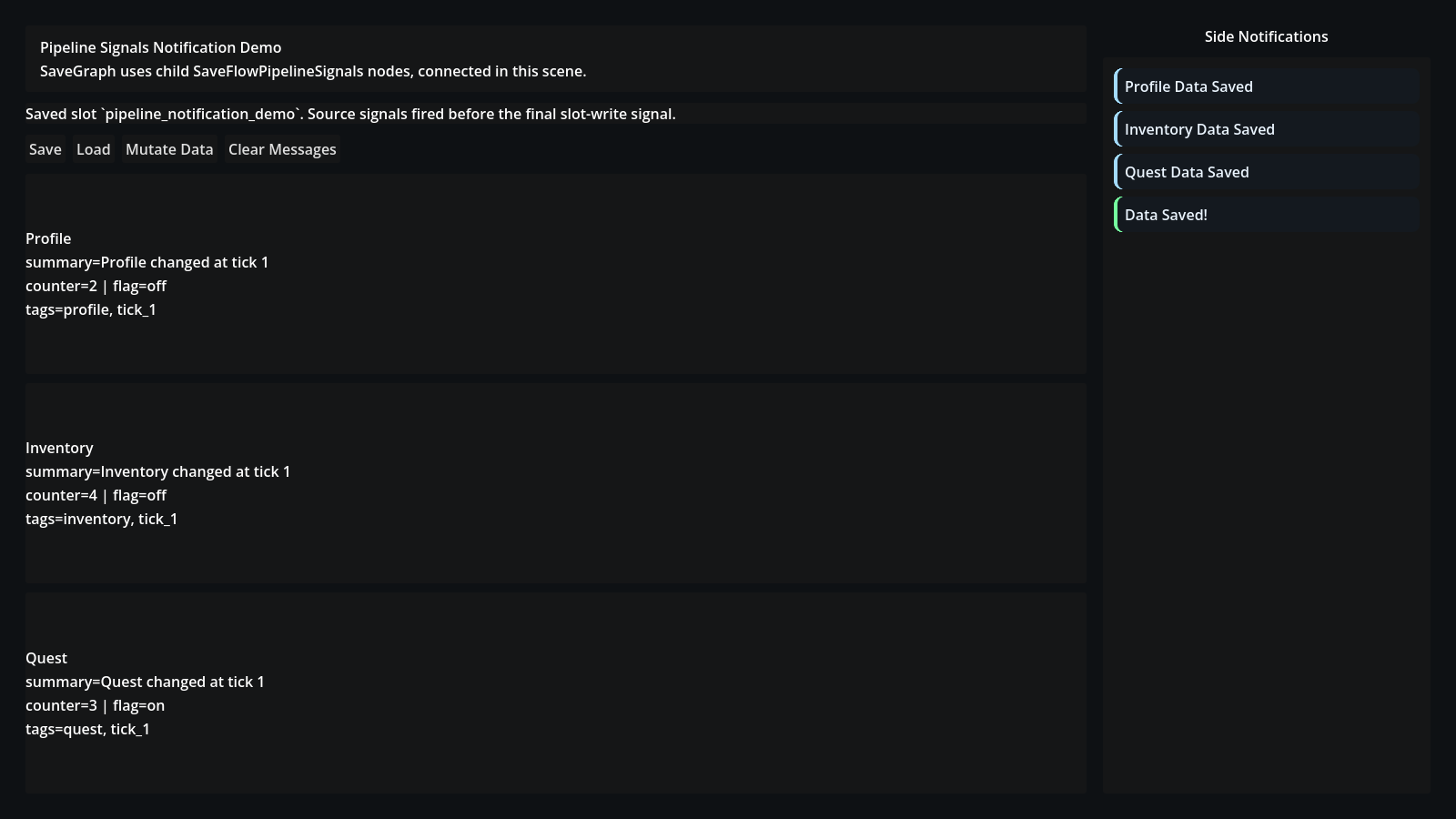
Primary scene:
res://demo/saveflow_lite/recommended_template/scenes/pipeline_notifications/pipeline_notification_demo.tscn
Use this when you want to react to save/load lifecycle events without subclassing every Source.
Expected behavior:
- saving emits a global message
- each participating Source can emit source-level feedback
- UI feedback is rebuilt from signals and is not itself part of saved gameplay data
C# Demo
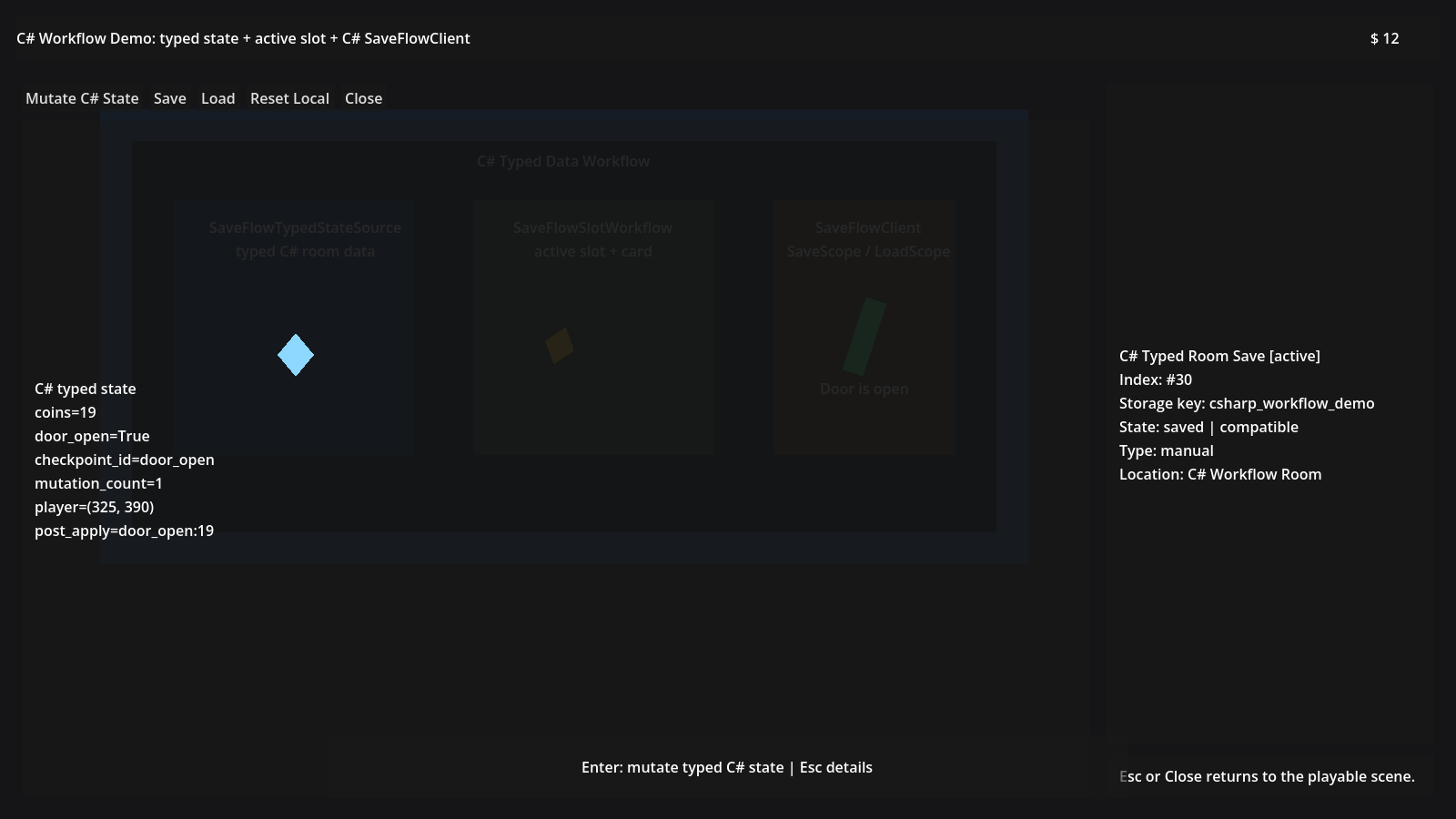
Primary scene:
res://demo/saveflow_lite/recommended_template/scenes/csharp_workflow/csharp_workflow_demo.tscn
Use the C# demo when you want to see:
SaveFlowTypedStateSourceSaveFlowSlotWorkflowSaveFlowSlotCardSaveFlowClient.SaveScope()
The C# demo should still be scene-authored. The point is C# parity, not hiding the Save Graph in code.
What To Ignore While Learning
Do not start by reading every helper script.
Start from the scene tree:
- identify the Source nodes
- identify the Scope boundary
- identify runtime entity containers
- identify the factory
- identify UI that only displays save state
Then read scripts only where gameplay interaction needs to call SaveFlow.
Public Example Shape
The public examples now use this shape:
- one recommended template for the main project workflow
- a small number of focused scenes for distinct components
- older sandboxes kept as QA and historical references, not the first learning path
- no stale UI-only cases in public navigation
- no marker-only scenes where the real save setup is invisible